Schools · STEM Racing · physics and design
A wind tunnel on every student’s laptop.
Students sketch a car, a wing or a building and see the air flow around it straight away, with real drag and lift numbers. It runs on the laptops your school already has, in the browser or as a Windows app, with no special graphics card.
Teachers can trial everything in the free version today. No accounts, and no student data collected. Start with the free lesson pack.

Why teachers use it
Aerodynamics students can see, not just read about.
Works on school hardware
Any laptop from the last ten years with a built-in graphics chip runs it. The browser version needs no installation, and the Windows app runs offline with no account.
Nothing to sign up for
No student accounts, no logins and no data collection. Shapes, projects and results stay on the student’s computer.
Honest about accuracy
Every result shows its effective Reynolds number and a fidelity grade, so students learn what a simulation can and cannot tell them. The benchmarks are published.
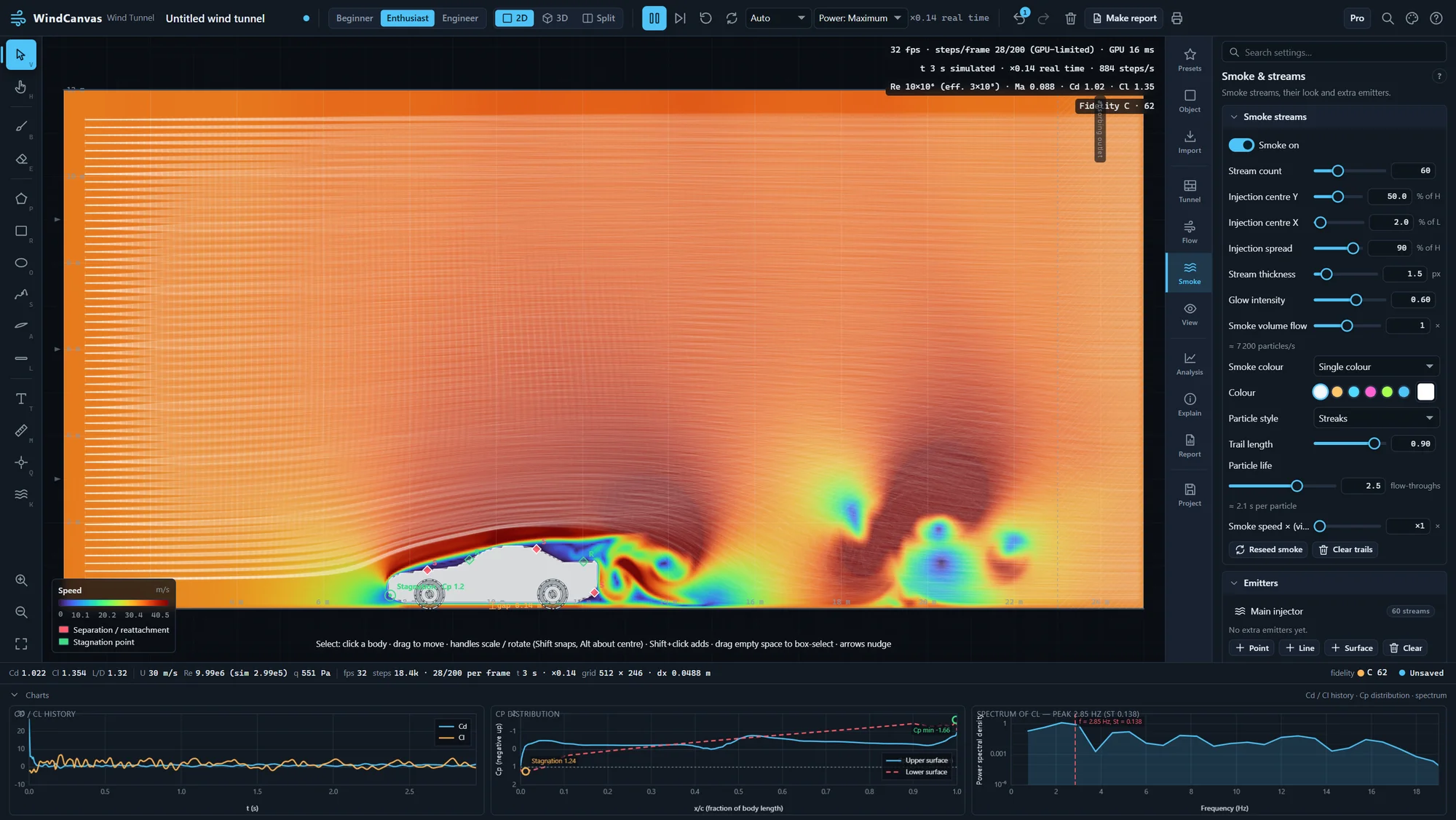
STEM Racing and F1 in Schools
Test body shapes before you machine the block
Compare noses, wings and side pods in minutes. Teams can bring in their CAD model as an STL, read the drag coefficient of each version, and print reports with flow pictures for the design portfolio.
Free for registered STEM Racing teams. Tell us your team name, school, country and registration, and we send a licence for the 2027 season. The STEM Racing guide covers the portfolio workflow, reading reports for judges and the Best use of CFD award.
In class
Lesson ideas that take one period.
Three of them come as a free lesson pack, with step-by-step plans, worksheets and Australian Curriculum links.
- FORCES
Drag and shape
Race a flat plate, a cylinder and a teardrop at the same speed and rank their drag coefficients.
- FLUIDS
The vortex street
Watch a cylinder shed vortices, then measure the Strouhal number and compare it with the textbook.
- FLIGHT
How a wing lifts
Tilt an aerofoil a few degrees at a time, read the lift, and find where it stops rising.
- DESIGN
Improve a car
Sketch a car, find where the flow separates, and redesign the rear to cut drag.
Licences
Simple school pricing.
Classroom · US$149 a year
- 30 school computers, plus students’ home computers
- Every Maker feature: full resolution in 2D and 3D, every import, project files, clean reports
- Updates while the licence is current
Whole school · US$399 a year
- Every computer at one school, plus students’ home computers
- The same features as Classroom
- One key for the whole school
Prices in US dollars. Quotes and invoices name your school and suit purchase orders. Every licence has the 14-day refund promise.
Questions
For IT staff and teachers.
What does it need to run?
Windows 10 or 11 for the app (Intel, AMD or ARM), or a recent Chrome, Edge or Firefox for the browser version; iPads and Android tablets run the browser version in Safari or Chrome. Any graphics chip with WebGL2, including laptops’ built-in ones. The installer needs no admin rights: it installs per user.
Does it collect student data?
No. The app has no accounts and no usage tracking, and nothing students make leaves their computer. Activating a licence sends only the licence key and a device name to our reseller to check the key.
Can students use it at home?
Yes. Classroom and whole-school licences cover students’ home computers, and the free browser version works anywhere.
How do we pay?
Ask for a quote and we send an invoice for your purchase order. A classroom licence or a whole-school licence can also be bought online by card. Receipts and invoices come from Polar, our reseller and merchant of record.